 UTILITY92 / 100
AI THUMBNAIL ENGINE
AI YouTube Thumbnail Generator for Creators
Create 16:9 YouTube thumbnail concepts from a video idea, explore visual styles, and review clarity before publishing.
AI-assisted workflow 16:9 ready Mobile-first signal
TubNexa / WorkspaceAuto-generate
SAMPLE DIRECTION MATRIX3 sample directions
16:9 / MOBILE READYUTILITY92 / 100 CURIOSITY96 / 100
 AUTHORITY90 / 100
T
CreatorStudio · New uploadOne focused idea, ready for a mobile feed.
PreviewBuilt for the feed
Built for creators who treat every upload like a product.
16:9Native thumbnail output
AIPrompt to image workflow
ReviewSignals before you publish
20Visual style presets
SaveDirections for your next upload
The workflow
3 Simple Steps
From rough idea to a clear visual direction without a long handoff or a blank canvas.
01
VIDEO BRIEFWrite your video idea.
“I tested 12 AI video editors…”
Describe your video
Start with the story, topic, or hook you already have in mind.
02
STYLE DNA
High energyBold contrast · expressive subject
EditorialClear context · premium framing
Choose your visual Style
Shape the promise with a direction built for your audience and niche.
03
 Mobile clarity check
Generate and improve
Create, analyze, and save the direction you want to take into your next upload.
LESS HANDOFF. MORE OUTPUT.
A sharper creative workflow, built for YouTube.
Keep your prompt, visual Style, generated thumbnail, and Analyzer signal in one focused workspace.
From blank page to brief
Prompt enhancement gives every idea a stronger visual starting point.
01 / CLARITYSignal before publish
Check hierarchy, contrast, curiosity, and mobile readability before exporting.
02 / ANALYSISEverything stays organized
Save your winning directions and revisit them when the next upload is ready.
03 / LIBRARYCONCEPT EXAMPLES
See how a clear idea shapes the frame.
These fictional thumbnail concepts demonstrate visual choices. They are examples, not customer case studies or performance claims.
One dollar for seven days
A single challenge, an expressive subject, and a short headline make the premise easy to scan.
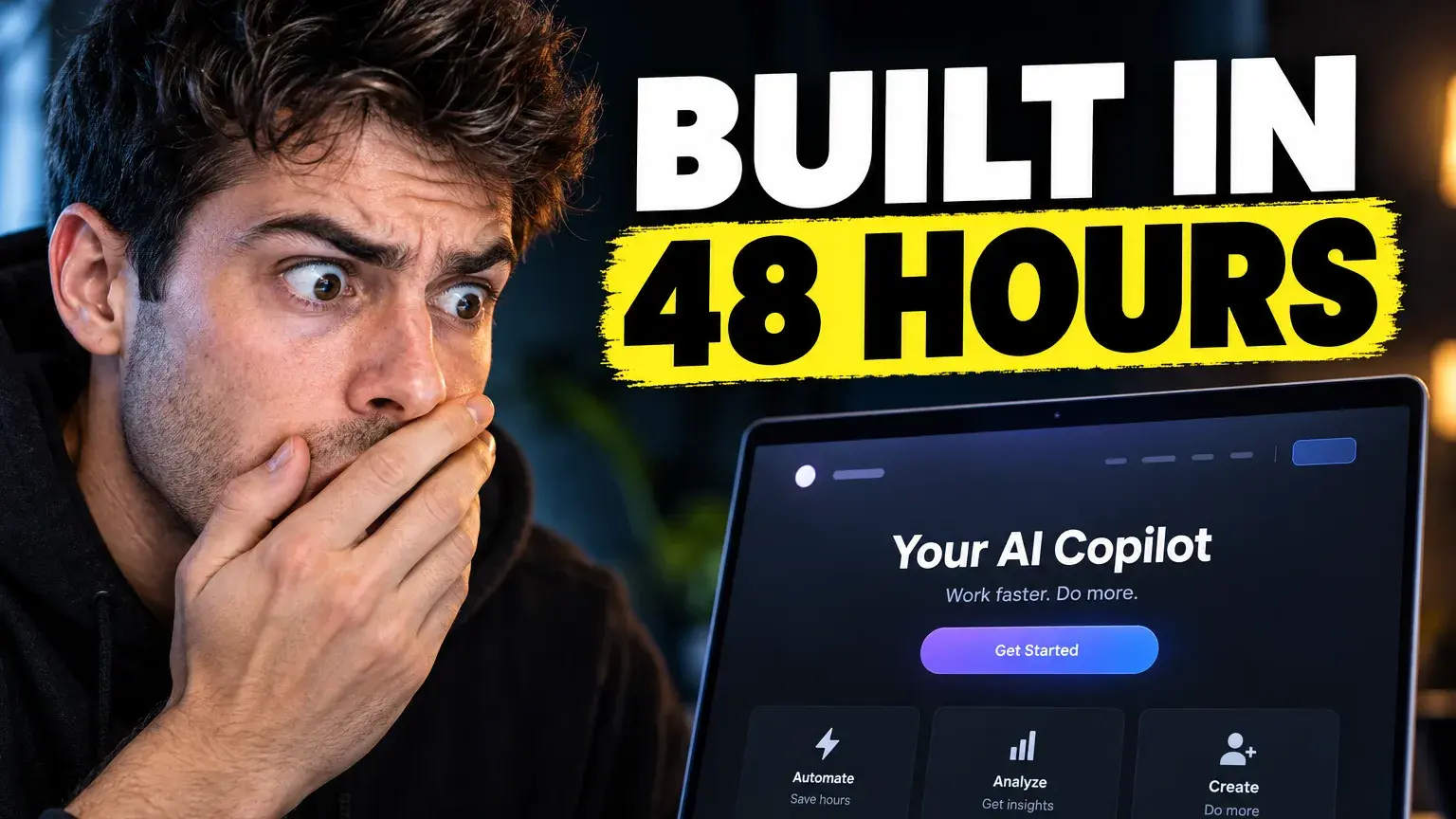
Built in 48 hours
A visible product and a time-bound promise give this build story a clear visual focus.
Liquidity shock
A central Bitcoin symbol, market cues, and headline contrast organize this finance concept.
PRODUCT PROOF
A practical toolkit, not a promise of virality.
See what TubNexa actually helps you do, from shaping an idea to reviewing a thumbnail before it goes live.
Turn an idea into a visual brief
Describe your video, then use AI guidance to shape the composition and headline direction.
01 / GENERATECompare 20 visual styles
Explore creator-ready directions for niches such as education, gaming, finance, travel, and more.
02 / EXPLORECheck the frame before publishing
Use the Analyzer to review hierarchy, contrast, curiosity, and readability at smaller sizes.
03 / REVIEWKeep directions for your next upload
Save promising concepts in your workspace so you can revisit and refine them later.
04 / SAVEHOW THE ANALYZER REVIEWS
A visual review, not a click-through prediction.
The Analyzer examines the visible thumbnail and returns an AI-generated score with specific strengths and possible improvements.
Review a thumbnail with the AnalyzerFirst-glance clarity
Can viewers quickly understand the main subject and video promise?
Curiosity tension
Does the frame create a clear, honest reason to want more context?
Mobile readability
Do the subject and headline remain understandable at feed size?
Visual contrast
Are the subject, text, and background distinct from one another?
The 0–100 score is AI-assisted guidance, not a measured CTR, an objective guarantee, or a prediction of video performance.
QUICK ANSWERS
Before you start
Straight answers about what TubNexa can help with—and what no thumbnail tool can promise.
Describe your video idea, choose a visual style, generate a 16:9 thumbnail concept, and review its readability at feed size before publishing.
PRACTICAL GUIDES
Keep improving your thumbnail workflow.
Read focused guides on planning, reviewing, and preparing YouTube thumbnails for the feed.
YouTube Thumbnail Analyzer: What to Check Before You Publish
A fast pre-publish review for finding the visual problems that can make a strong video look easy to ignore.
Read guideHow to Design YouTube Thumbnails That Get Clicks
A practical framework for turning a video idea into a clear, high-contrast thumbnail that makes sense before a viewer reads the title.
Read guideYouTube Thumbnail Size and Safe Zone Guide
The essential dimensions and layout rules for creating a YouTube thumbnail that stays sharp, readable, and properly framed on every screen.
Read guideReady when you are
Start creating for free Ready to give your next upload a clearer visual hook?
Join TubNexa and turn one sentence into a thumbnail direction you can review.